

Parent-Dashboard



FAQ
I have forgotten my compass login
Need help resetting your password? No worries at all! Feel free to contact the school for assistance, or, alternatively:
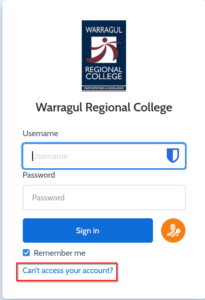
1. Select Can’t Access Your Account? (web) or Forgot Password? (mobile app), on your school’s Compass login page. This should redirect you to our Compass Login Help page.
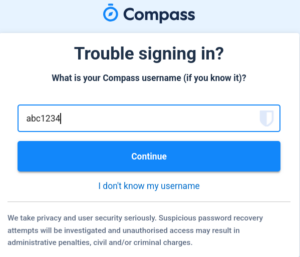
2. Fill in your username in the space provided and click Continue. This should take you through to a new page, that will ask you for your email address or phone number.
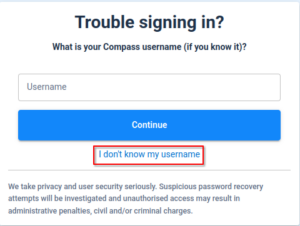
If you have forgotten your username then you can click on I don’t know my username
| Using your Username | Using your Email Address |
 |
 |
3. Fill in your email address to receive a password reset link via email. Or, fill in your phone number to receive a confirmation code via SMS.
4. Complete the reCAPTCHA, then select Continue.
5. After you have received your email or SMS, either follow the provided confirmation link (for email), or fill in your temporary confirmation code (for SMS).
6. Update your password as desired.
Friendly Note: Please make sure that your email address and mobile number are kept up-to-date within Compass, otherwise this confirmation SMS or email may not send.
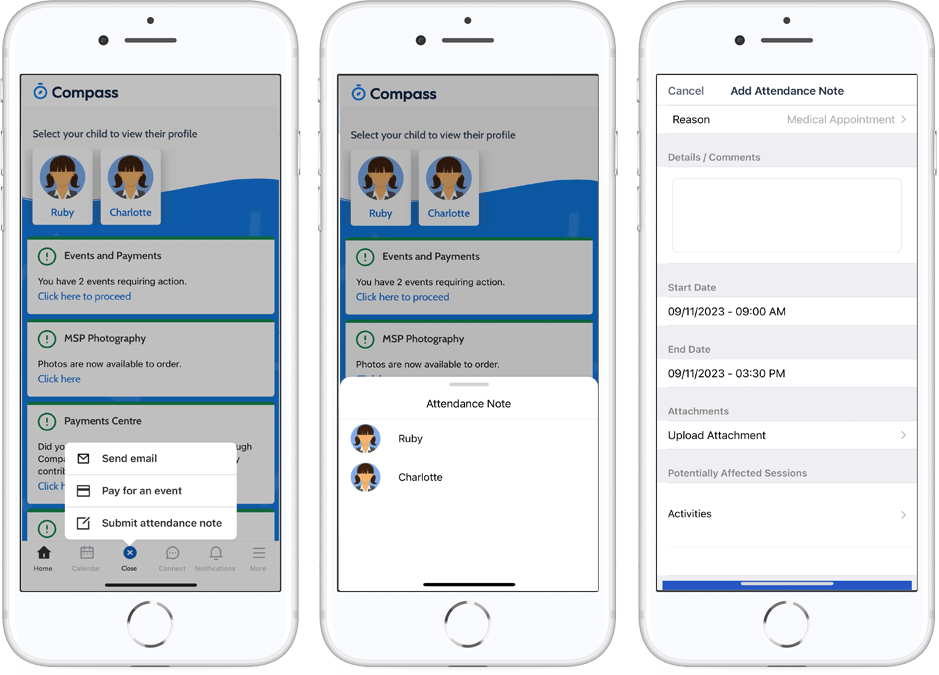
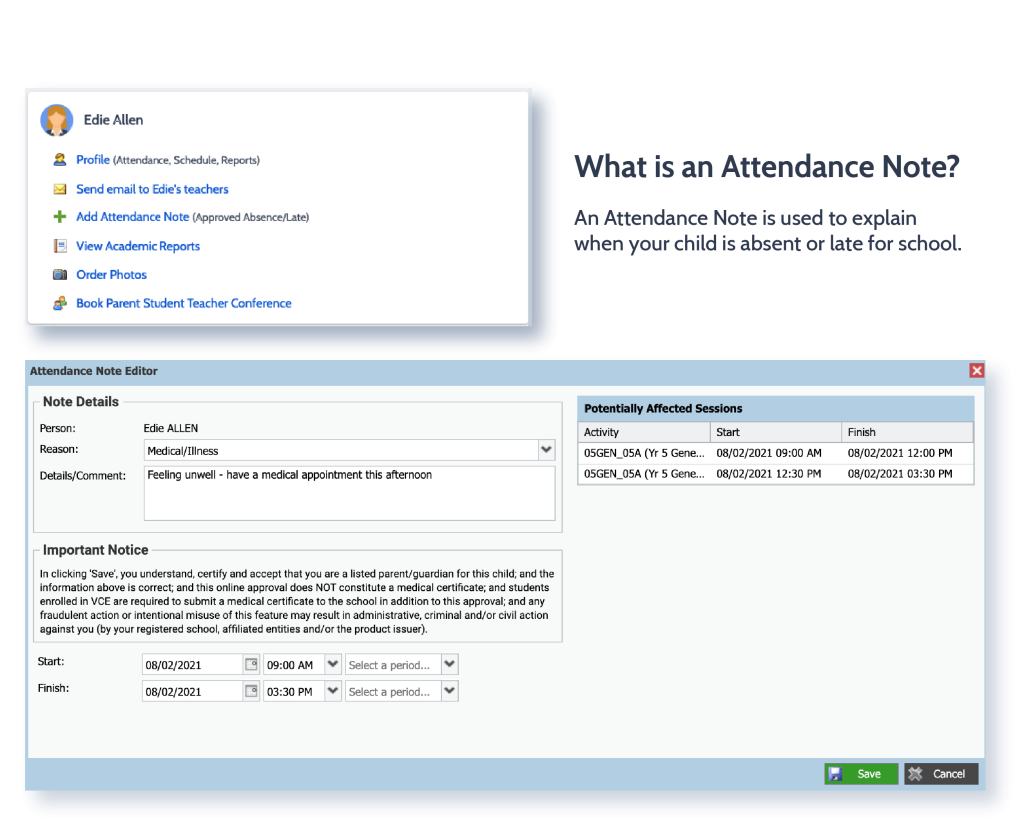
Student’s Attendance Note Compass
How do I sign up for a Canvas account as a parent?
Open Canvas URL


https://wrc.instructure.com/login/canvas
Create Canvas Account
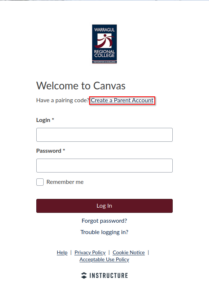
Click the Need a Canvas Account? link.
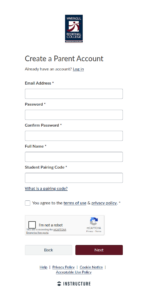
Enter the following information:
- Enter your name in the Your Name field.
- Enter your email in the Your Email field.
- Enter your password in the Password field.
- Re-enter your password in the Re-enter Password field.
- Enter a paring code to link your account to your student in the Student Pairing Code field.
- Agree to the terms of use by clicking the You agree to the terms of use checkbox.
- Confirm that you are not a robot by completing the Captcha form (if enabled by your student’s institution).
- Click the Start Participating button.
Note: Students can generate pairing codes from their User Settings. Depending on institution permissions, admins and instructors may also be able to generate pairing codes.
Viewing Progress Reports in the Compass Mobile App
How to View Progress Reports in the Compass Mobile App
Progress Reports cannot be viewed directly within the Compass mobile app. They must be opened using a web browser. However, you can still access them from the app by switching to Web View.
Steps
-
Open the Compass Mobile App.
-
Tap the More button in the bottom right corner of the screen..
-
Select Open in Browser.
-
The report will open in your device’s web browser, where you can view it normally.
💡 Note: Progress Reports will not display properly inside the app itself and must be opened in a browser to be viewed.